Pages

Subscribe:
Showing posts with label BHS Student Help Desk. Show all posts

Friday, 19 June 2015

Day 176 - The Maker Studio at BHS Help Desk - Jenn Scheffer - BPS Mobile Learning Coach

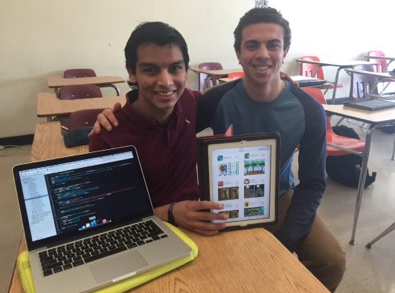
This past March, BHS Help Desk student Cat Hoyt connected with Laura Fleming and Diana Rendina on Digital Learning Dayand learned about their successful makerspace programs. Since then, the BHS Help Desk students have been busy designing a makerspace of their own. Thanks to the collaborative efforts of the BHS Art Department, specifically art teacher Christina Chang and her talented students (both current and former), the student run Maker Studio at BHS is scheduled to launch in the fall of 2015. The Maker Studio will be an extension of the Help Desk program and will be led by Help Desk students Timmy Sullivan and Sid Srivastava. Timmy and Sid (we’re not sure if their official titles will be Chief Innovation Officers, Digital Learning Directors, or Maker Studio Managers) are beyond excited to develop this new and innovative learning space! Not surprisingly, they’ve already started to collaborate on their first (top secret) maker studio project. Seeing our space develop over the past few months has been truly inspiring and what the students have accomplished so far has exceeded my expectations.
Extreme Makeover: Help Desk Edition
The first phase in creating our makerspace was to select the right location. Because our makerspace is an extension of the Help Desk curriculum, and we want it to be accessible by all Burlington students and teachers, we decided to transform a library storage room adjacent to the Help Desk into a haven for creating, building, and exploring. I met with Christina several weeks ago and explained to her that we wanted to design an attractive, eye-catching space and she was instantly on board. Christina and her architecture students began brainstorming the color palette. Within two weeks, the room morphed from monotone, off white walls into a fun, modern, and vibrant space. The bright colors alone have already sparked curiosity among our students. The 3D Makerbot printer in the window as well as the pair of Google Glass have also generated some chatter among students as to what the new “room” is going to offer.
In terms of our studio’s branding, the space also features a custom logo designed by BHS alumni and graphic designerLauren Vigneau. Lauren collaborated with Christina’s students and taught them a lesson on logo design as well as how to market yourself as a designer. Lauren’s website Birchnine features her impressive portfolio of work, contact information, and resume. I had the pleasure of meeting and talking with Lauren about the studio and she is incredibly enthusiastic about partnering with me, Christina, and our students. The entire transformation process (which is not fully complete) was truly a collaborative effort and it offered our students authentic, real-world learning experiences. It also allowed me to meet and recruit a new Help Desk student. Donnie Boermeester, a gifted craftsman, plans to join the Help Desk next year and will continue to be a part of shaping the mission, purpose, and direction of the student run Maker Studio at BHS. I’m sure Donnie, Timmy, Sidd, and the rest of the 15-16 Help Desk staff will ensure the inaugural year of our Maker Studio is a huge success.
So, We’ve Got A Room…Now What? 
Now that the makeover of the space is nearly complete, the next phase is to determine what kinds of learning activities will take place in the Maker Studio. Although it isn’t a large space, it will accommodate several maker stations that the Help Desk students are currently brainstorming. We are considering the following maker themes:
1. 3D design and printing
2. Wearable tech (Google Glass)
3. Coding/app development
4. Multimedia creation (green screen & podcasting)
5. DIY stations
6. Deconstruction station (breaking, hacking, rebuilding)
We have an eclectic student body here at Burlington High School. I envision creating a space that appeals to a wide range of students. From aspiring coders to jewelry and fashion designers, to future engineers, my goal is to create a space where students of varying backgrounds can merge their talents and innovate. Sounds a bit like the real-world doesn’t it?! The most exciting aspect of our Maker Studio is that it will be a place for students to gather, make, build, and play, without the pressure of working for a grade. Students will have freedom and flexibility to learn what they want, at their own pace, and for the sake of learning, not because of a directive or mandate. Ultimately, our Maker Studio can help develop independent, self-motivated learners who will gain hands-on experience and skill sets rooted in E-STEAM.
Students Teaching and Leading Students
Staying true to the foundation of the Help Desk and allowing students to drive their own learning, the vision of the BHS Maker Stuido is to offer student led, E-STEAM-based workshops for the entire Burlington community; with the first “E” meaning entrepreneurship. My hope is that students will take their making and building to a level where their creations have value and sales potential. This could eventually lead to a makerspace that is financially self-sustaining.
Admittedly, I have no idea if the vision for our Maker Studio will become a reality. I am however optimistic that our student leaders, innovators, and creators will build a unique learning environment where our entire community has the opportunity to experiment and explore. I’m also fortunate to work in a district where the leadership allows for this type of curriculum experimentation to occur and values student driven, project-based learning.
And one more thing…in case you are wondering…the total cost of this transformation to date? Zero dollars!
Take a look at the slideshow below to see the work of our talented students!

Tuesday, 5 May 2015

Day 144 - So, You Want to Know What Hosting Help Desk Live is Like? - Jhymon Moodie - BHS Junior

Editor’s Note: this post originally appeared on the blog of BHS Help Desk junior Jhymon MoodieTo learn more about VloggedIn, and how it can help your students create a positive digital footprint, visit their site at vloggedin.com 
Yesterday, I co-hosted episode 24 of Help Desk Live. It was a fun process and it was even better actually sitting down and broadcasting to a live audience. Mrs. Scheffer coached me a good amount in preparation for my first time co-hosting. She was very patient when it came to me remembering Cassie’s name (or was it Kelly? Hmm). She asked me to come up with questions, and as I presented what I had come up with to her, she told me why some questions were awesome, and why some didn’t work. Along with that, she helped me with the wording of certain questions to get a better answer based on what I asked. When it comes to my actual physical appearance, she recommended I look nice (of course) and to just try and stay calm; watch what you are doing while the camera is on you, and speak slowly and clearly. Personally, now that I have gone through the whole process , I can say without a doubt that her coaching was a great because I was so nervous and I didn’t know how to react when she told me on Monday morning that I was going to host a whole Help Desk Live episode. I didn’t think I could do it, but with Scheffer’s help, it was a breeze! At this point, with the coaching I’ve gotten, I feel confident enough to potentially do it on my own!
Screen Shot 2015-05-01 at 7.26.09 PM
What I took from it most was to just be calm in your posture and facial expression when the camera is on you. Also, as I mentioned earlier, just speak at a relaxed pace and tone, and pay close attention to your guest! That is a given anyway, considering that it is a respect thing, but you truly learn some things while he or she is explaining what they are talking about wether it be a device, a network, a website, whatever it may be. Also, she never mentioned it to me directly, but as we switched camera views from us to the guest, and vice versa, I probably wouldn’t want  to perform a full on click with the ‘click’ noise because it comes up in the video and quite frankly, it annoys me. I would probably just do a tap of the mouse pad, because it does the same thing really and it’s more quiet.
Coming up with questions was hard and easy at the same time. The reason for that is because VloggedIn is new and intuitive and it sparked my interest. I wanted to learn more about it which made it simple to come up with questions. But the network is simple. It may sound like a good thing that the website is this way, but it isn’t, and here’s why. There isn’t much too it. I understand that it is a new site, and features aren’t something most new websites are full with often times, but when there isn’t much content or features, you can’t really come up with many questions
Screen Shot 2015-05-01 at 7.21.28 PM
I would definitely host another episode in the future. It’s nice to meet new people and learn about their past and what it is they are being interviewed for. Again, I feel as if the coaching I received from Mrs. Scheffer was beneficial and has made me more equipped and ready to tackle an episode by myself. Give me a couple of run throughs and I will probably be a pro! To list a few skills I used while filming, I was told that it would be alright to have my questions by the computer just in case I forgot what my questions were, I could just look over to the side really quickly and remember again. But going back and looking at the hangout, I would probably make sure I dress better. I will also think about side comments and filler questions as the episodes go on.
It is my hope that something I’ve written will stick with those of you who plan on doing their own live online shows. The coaching I received was exceptional and 100% prepared me on what to expect. It is part of my hope also that you take the coaching that I have received from my instructor that I am passing on to anyone willing to read!

Wednesday, 29 April 2015

Day 140 - NE 1:1 Summit Reflection: “Coming Out As a Leader” - Sidd Srivastava - BHS Junior


“The joy of life comes from our encounters with new experiences, and hence there is no greater joy than to have an endlessly changing horizon, for each day to have a new and different sun”
-Christopher McCandless.
Being new to place changes everything in your life. You have to make new friends, a new reputation and new personality. In other words, you have a rebirth. There are also many advantages and disadvantages of being new to a place. I feel so happy when I say that I had many advantages, and I was given the opportunity to portray my advantages at the NE Summit 1:1 held at Burlington High School.
It was a great place. I saw many people with many electronic devices showing off their great works representing their respective school. I was so glad but nervous, when I was told that I was the only one who will be representing our school.
So, I went there, with my iPad and my dear laptop. I then used team-viewer as a tool to set up a remote network so that people could also see my work on my laptop. It was a wonderful experience, I got to meet many new people, they saw my work, and praised me for it. I told them about my past projects such building up a programming club in our school, my present projects such as helping Mr. Morino with the 3d printed arm and my future projects such as making a anti-cyber bullying club at our school. They were so happy after listening to my works. But the thing that impacted me the most was the “respect” for me in their eyes.
Coming out as a leader was less of a responsibility and more of a fun time for me. There was also an end presentation where the visitors were allowed to ask any questions they wanted. For the first time in my life, I got to speak in-front of so many people about myself which was a wonderful experience.

Friday, 10 April 2015

Day 132 - Translate, Thesaurus & Hello Sign: 3 Simple Docs Add-Ons - Nick Whitney - BHS Sophomore

Below is my first screencast on Google Add-Ons. Add-ons are free, easy to use tools offered in Google Drive which extend the capabilities of Docs and Sheet. In the screencast, I demonstrate three different Add-Ons that I feel are very beneficial including Translate, Thesaurus, and Hello Sign. My favorite thing about Add-Ons is that users do not need extra software installed, nor do they have to switch between multiple windows or tabs because every Add-On appears directly on the Google Document.
Translate
Screen Shot 2015-04-07 at 1.54.06 PMThis was my favorite Add-On because I found it simple and easy to use. With this product a user is able to translate a word, sentence, paragraph, or an entire essay into a variety of different languages in seconds. Translate works with five different languages including English, French, German, Japanese, and Spanish. This Add-On also allows you to set the languages you use the most as your default translations which will save you even more time! Translate is an especially helpful Add-On for people just starting to learn a new language.
Thesaurus
Screen Shot 2015-04-07 at 1.53.55 PM
This was another useful Add-On that allows the user to find synonyms as well as antonyms for any word. As with Translate this Add-On was simple and easy to use. I found this Add-On very useful when writing papers for different classes and needed to use more advanced vocabulary.
Screen Shot 2015-04-07 at 2.14.51 PM
Hello Sign
Hello Sign is an Add-On that will allow a user to draw an electronic signature and then drag and drop the signature into the document. The add-on supports individual or group signatures. A limited number of free signatures is offered before a user is prompted to upgrade, but it’s still a great add-on for quickly signing documents
Check Out My Screencast Shown Below!


Wednesday, 1 April 2015

Day 126 - Month of March Progress Update - Cat Hoyt - BHS Senior

This post originally appeared on Cat's Blog

This past month Mira and I have been working to create a video entry for the Project Yellow Light Scholarship. Project Yellow Light is a scholarship competition designed to bring about change. As an applicant you have one clear mission: create a video to encourage your friends to avoid distracted driving. The video has to be exactly 25 or exactly 55 seconds because the winning video is remade by AdCouncil and aired on television.

After finding the scholarship opportunity I contacted Mira asking her to team up. We named ourselves Meerkat Productions (Mira+Cat=Meerkat) and I recently created the stellar logo picture below.
Screen Shot 2015-03-31 at 1.14.00 PM

In preparation for shooting the video we purchased a green sheet from Joanne’s Fabric and sized it so that it would cover the portion of my car which would be shown in the video so we could create the illusion of a moving car when we were just shooting in my garage. An example of this allusion can be seen in the clip below.
Screen Shot 2015-03-31 at 1.49.59 PM

The guidelines for the video are pretty broad. We decided to create the 25 second one because it would be short, sweet and to the point. Instead of the usual route of telling people not to text and drive, we decided to hone in on virtually all distractions as well as the common excuses people use to justify those distractions.

Within a few days of uploading the video, I was contacted by a friend of mine who is interning for the organization EndDD.org. She asked if I would mind if she featured our video on her website because she loved the concept and thought it did a nice job addressing the message they were trying to present.

Stay tuned to my blog and Mira Mehdi’s blog to see if we win the $5000 scholarship and check out the final product of out video below.


Friday, 6 March 2015

Day 108 - We're Not Monkeying Around - BHS Help Desk Students Develop App

I’m SUPER excited and proud to share that Manas Purohit and Michael Seleman, both seniors and first year members of the BHS Help Desk, have successfully developed an iOS application that is available for download for the iPad and iPhone. Banana Boom puts “your reflexes to the test” while users “tap to dodge explosive bananas as Super Sam (your heroic monkey) maneuvers down some series slopes. Collect coins to rack up points, but only if you’re up to the task; some coins can be tricky to grab!” The app requires iOS 8.1 or later and is optimized for iPhone 5, iPhone 6, and iPhone 6 Plus.
Screen Shot 2015-03-03 at 1.27.45 PM
BHS Help Desk Genius Bar Staff Members Manas & Michael - Developers of Banana Boom!
20% Time Project Part 1:  
The development of this application is part 1 of Manas's Individual Learning Endeavor, or his 20% time, genius hour passion project. The ultimate goal for his ILE is to develop a Help Desk mobile application, with an anticipated launch date of April Fool’s Day (no joke!)  Michael is no longer enrolled in Help Desk for the second semester, however he will continue to collaborate with Manas on the Help Desk app as an equal partner. Below are the details of how Manas and Michael went about programming their first iOS app and what their plans are for part 2 of their ILE; a BHS Help Desk mobile app.
Where did the idea for Banana Boom come from?
“It came from the old Mario game where Donkey Kong is throwing barrels against Mario. We thought, ‘what if we put Donkey Kong on a sled and made him dodge bananas?’ Then we added the coins as a scoring mechanism.”
What were the steps involved in the development of the app?
“First, we had to learn the programming language Objective C. After doing some online research, I decided to use the bookBig Nerd Ranch Objective C Guide because it was recommended by professional programmers. I used that book as my major resource. I prefer to use books over videos because you actually see the code written out and refer to it as you type along. I also had to learn how to use the software GIMP, which is similar to Photoshop. This is what we used to make the images in the game. We drew all the images pixel by pixel, which gave us superior precision over the exact view of the images.”
What was the hardest part of creating the app?
“I’d say the scene where the monkey is actually dodging the bananas. We had to make it difficult enough so the user wasn’t bored by the game, but at the same time, not so difficult that the user gave up on it. We had to spend hours adjusting the speed at which the bananas came down in order to get the perfect velocity. It took two and a half weeks start to finish to build the app. Then it took a week for Apple review the app and actually put it in the app store.”
How did  you go about submitting the app into the App store?
“First we had to get a developers license. We went to the Apple Developers website and we had to sign up for the developers programs. That cost $99 but that was well worth it because that’s the only way you can get an application on a device versus a simulator. It only took a day for the processing to go through. Once we had the license, we connected it to Xcode. Then we had to complete an application through iTunes Connect. We had to fill out the description of the app, general information, the copyright, the license agreement, what other capabilities our app had (Game Center for example) and finally we uploaded our code and all our images to iTunes Connect. We also had to put in screenshots for app previews. Then we submitted it for review. It took approximately one week from the time we submitted the application to when it actually became available in the App Store. I received an email from Apple last night that said, ‘the following app has been approved and is ready for sale.’
Why did you decide to make the app free? 
“We as students would most likely not pay for a game, so we thought that most of our users would go through the same thought process, so making the game free would result in the most downloads, which was our goal. If you can get a lot of downloads, you can have ads on your application which could allow us to eventually make profit.”
How will the creation of this app help you develop the BHS Help Desk app?
We are now more experienced as far as user interaction goes on iOS devices. So, using this knowledge we can create a better user experience for the users of the Help Desk application. Additionally, we know how the app review process works with Apple and we can configure the app so that it is reviewed and available as soon as possible.
Screen Shot 2015-03-03 at 8.49.48 AM


Wednesday, 25 February 2015

Day 101 - Windows 10 Technical Preview - Sid Srivastava - BHS Junior


As soon as Windows released Windows 10 Technical Preview Evaluation Copy Build 9926, I downloaded it to examine its new features. I discovered many cool features like Cortana Integration and Spartan web browser. For my first assignment in Help Desk, I created a seven minute screen cast demonstrating these two features, along with many others. I hope you will take a few minutes to watch what I made.

Wednesday, 4 February 2015

Day 92 - ConnectEd BINGO: Don’t Miss This Epic Reading Event! - Jenn Scheffer - BPS Mobile Learning Coach

Note: A link to the original post explaining the ConnectED Reading BINGO Event can be found here.
The BHS Help Desk would like to encourage teachers throughout the district to participate in February’s “I Love to Read Month.”  Schools across the nation have been invited to participate in this highly creative, “epic reading event” created by a dynamic team of award-winning lead learners including; Tony SinanisJohn Fritzky, and Dr. Brad Gustafson. The event is designed to promote a love of reading, as well as the responsible use of social media and brings important digital citizenship principles to the classroom. Throughout the month of February, students can show their love of reading, and earn BINGO, by completing a series of challenges created by educators in Tony, John, and Brad’s PLN. Several activities allow students to connect with authors, educators, and other classrooms from across the country. Check out the BINGO board below as well as a brief introduction video which explains this exciting opportunity.
bingo-pic

To participate in this national event, click on the link to this BINGO board

Each time a student has completed BINGO, they are asked to Tweet out a picture and use the hashtag #StuConnect. Students can also earn prizes for certain BINGO challenges they complete. A full description of the BINGO rules is listed on page two of the linked BINGO board. All students should complete these activities with the support and guidance of a teacher and/or parent. Any teacher who would like assistance with facilitating any of the activities listed on the board, technology related or not, is encouraged to contact me at jscheffer@bpsk12.org or work with your building Instructional Technology/Media Specialist. Let’s share with the world how much the students of Burlington Public Schools love to read!

Friday, 23 January 2015

Day 88 - Meet The Techie Ladies of BHS - Mira Mehdi - BHS Senior

This post originally appeared on Mira's Blog

I present, the Techie Ladies video. It is finally here. After 2-3 long months of editing and filming, I have finally finished this video. The reason it took so long was not because of my editing capabilities, but because I chose the busiest 2-3 months of my senior year to create it. However, it is finally finished, and the outcome is better than anything I could have ever imagined.
I am a female BHS Help Desk member, with only three other girls (Cat, Kristin, and Kelsey). We are leading the way for young women in technology. We hope our abilities to problem solve, create, and innovate with technology in the classroom are an inspiration to other young girls who are passionate about STEM (Science, Technology, Engineering, Math)! The Techie Ladies video I made was a parody of Beyonce’s “Single Ladies.” We used the music in the background, however changed every single word. I had my teacher, Mrs. Scheffer, as well as another AP chorus student, Emily Frost, to record the lyrics. I had them record their voices through the microphone on my Apple headset, and then I put it right into Garage Band to auto-tune… not that is was necessary. As a matter of fact, Mrs. Scheffer was a theater major and so this project was right up her ally. This took about 10 takes but we had a blast making it. After I edited it, I decided to get footage and girls in our high school doing things that corresponded with our lyrics. Surprisingly, it wasn’t that hard at all. I barely had to have people act since what they were doing, before I approached them, was what we wanted them to do. Everyone’s contributions were great, and I even gave them credit at the end. The making of this video was truly a collaborative effort.
So after 3 long months, here is the final product. I hope you enjoy it as much as I did making it

Monday, 12 January 2015

Day 80 - “Help Desk is Not a Real World Simulation, Help Desk is the Real World” - Cat Hoyt - BHS Senior

This post originally appeared on Cat's Blog

As of today 2/3rd’s of my Help Desk Individual Learning Endeavor is completed. I recently completed my video entry for the Follett Challenge after two months of taping, editing and re-editing and I am very proud of the results. To put it briefly, the Follett Challenge is a contest structured so that even if you do not win the contest you have broadcasted your program to the world and received global recognition. The video I have created is a promotional video for the Burlington High School Help Desk and it explains what the program is, what it does, it’s benefits to the school and district and the innovative ways in which we integrate technology. The video is embedded below.


Additionally, 5 essays were required upon submission of the video to the Follett Challenge to provide Follett with a description of the program, the objectives and outcomes of the program, the methods, strategies and action steps, a discussion of previous approaches and an endorsement statement. The essays were written by myself, Mrs. Scheffer and Mr. Larkin and links to each of them are below.
So now that you know what the challenge is and what I have submitted, I would very greatly appreciate your vote. The winner of the Follett Challenge is picked partially based off of the reviews of judges and partially based off of the amount of votes it gets on the Follett Challenge webpage. Voting takes place between January 19th through the 30th and you can vote more than once. All I ask is one vote per day and you could be putting BHS one step closer to winning our share of $200,000 which is either $30,000 for the Grand and Semifinalist Prizes or $8,000 for a People’s Choice Video Winner. So PLEASE vote for BHS and the Help Desk every day from January 19th through the 30th!
To encourage others to vote for us spread the word! Send out tweets reminding people to vote for us or share these images to your social media sites. Thank you in advance and happy voting!
promote-facebooktimeline-3 promote-socialpost-3        promote-socialpost-1

Monday, 15 December 2014

Day 68 - Screencast: Get Creative In The Classroom Using Creative Commons! - BHS Senior Dan Pais

This post first appeared on the BHS Help Desk Blog

Editor’s Note: Many teachers struggle to get their students to understand the complexities of Creative Commons. Today’s post, which originally appeared on the blog of BHS senior Dan Pais, removes the mystery for both students and teachers behind Creative Commons. It features an EXCELLENT, must watch, four-minute screencast and would serve as a meaningful homework assignment, or as the basis of a class discussion on how to properly cite digital media. Respecting the creative works of others is an integral part of digital citizenship and one that all teachers, regardless of content area or grade level, should teach. We hope you will take a few moments to read the post, watch the screencast, and share it with your students and teachers.
As a digitally literate student, it is important to use media that is licensed for reuse and give credit to the sources from which you obtain information from. When students are asked to create a “works cited” page for papers or projects they are being asked to identify the sources they used to complete their research. Teachers want to ensure students are not plagiarizing. Most students have a clear understanding that it is wrong to plagiarize written bodies of work, however a much smaller group of students realizes the implications of reusing images, music, and videos for multi media projects and presentations. Digital media should be as respected as a primary source. The time, effort, and creative thinking that goes into the development of an image, piece music, or video should neverbe taken for granted. Learning to properly cite digital technologies is an important skill to learn in high school, as it will make college projects and assignments a breeze. In order to overcome the obstacle of simply copying and pasting images and various other media, it is easier to utilize free media, meaning that you do not have to give credit to the source (depending on the license). But where can you find such media? Well, the two most common ways are through Google and the Creative Commons website itself. Creative Commons licenses vary, and depending on which license is ascertained for the specified media, different restrictions may apply.
According to their website, “Creative Commons is a nonprofit organization that enables the sharing and use of creativity and knowledge through free legal tools.” This organization provides easy to use, copyright tools that give permission to share and use creative work. The  screencast below will show you how to obtain licensed content directly through the Creative Commons website.
Once you have navigated to Creative Commons, click on “Licenses” and then click “Find Licensed Content”
Untitled image (4)
Once you find your way to this page, type anything you want into the search tab and either select or deselect the extra options below the search bar to your specific needs. My screencast below will show you how to use Flickr, Pixabay, and ccMixter to obtain stellar media!
Untitled image (3)
Remember that all images obtained through this site are free to use, and depending on the license, you may even be able to edit the media and use it for commercial purposes.


If you have any further questions or want to learn more about Creative Commons licensed media, you can find me at the BHS Help Desk during period 4. Stay tuned for future tutorials and screencasts, hope this helps!
Respecting and understanding copyright laws is just one aspect of being digitally literate. Click here to learn more about the fundamentals of digital literacy.

Tuesday, 23 September 2014

Day 16 - 3 Reasons Why Google Calendar is the Student Athlete’s Best Friend - Cat Hoyt, BHS Senior

Picture this: 6:52 you wake up. You have to be out the door to school in 8 minutes and you  have to get all of your stuff ready for school, sports and whatever other various activities you may have after school. It’s a challenging feat that usually requires the help of several different apps including multiple calendars, weather apps, reminder apps and many others. Now, imagine if there was a way to use just one app that we’ve all heard of and probably frequently use to make this an feasible task….There is!
Google Calendar has been the most helpful thing for me in managing my insane life. From the quickness and reliability of it, clearness and conciseness in separating events, ability to sync with other calendars, enable weather forecasts, create tasks, and many more, Google Calendar is one of the most useful tools in keeping the crazy life of the student athlete in check.
Here are 3 quick tips on how to get the most out of Google Calendar.
  1. Syncing Calendars Together
For the first two years of high school I had to copy and enter every single practice, game and team event into my calendar separately. That is way too time consuming and there is a much easier way. If you go onto a computer and open a calendar that is shared with you, for example a work or sports schedule, you will notice that in the bottom right corner of the calendar there is a button that says “+GoogleCalendar.” Next, your calendar will open and your computer or iPad will ask you if you to confirm if you want to add this calendar. By clicking yes, all the information in the shared calendar is added to your calendar alongside all your other events so it is all in one place. Below is an image of my soccer schedule so that you can see the location of the Google Calendar button in the bottom right corner.
Screen Shot 2014-09-11 at 9.24.04 AM
2. Enabling Weather Forecasts 
In addition to syncing calendars through Google Calendar you can add a daily weather forecast to your calendar so you can have your schedule for the day as well as the temperature and projected weather for that day all in one place. To enable this feature open your calendar in Google Calendar and go to settings and select general. Scroll to the feature labeled “location” and enter your town and zip code. Then you are going to want to deselect “do not show weather” and change that to Fahrenheit. This is shown below on my calendar as well.
Screen Shot 2014-09-11 at 9.48.14 AM
What this does is adds a little icon to the top of each day on your calendar with an image depicting what the weather will be like that day. When you click the icon, it expands into a full overview of the weather forecast. This is really convenient for packing bags in the morning because you have your whole schedule and the weather forecast all in one place. You can see the icons on this screenshot of my calendar below. Knowing the weather in New England is crucial, since the day can start at 70 degrees and sunny or end at 50 with a tornadoes watch. You never know what you are going to get!
.Screen Shot 2014-09-12 at 8.36.52 AM
3. Creating Tasks
Personally, I am the worst at remembering to do things so having the ability to add tasks to my calendar is awesome because I am constantly reminded of the things I need to get done every single time I check my calendar. The fact I am able to slide the task right into an area on my calendar where it fits perfectly and there is the ability to check it off when its done is really helpful.
So how do you do this? First, go to month view on your Google Calendar and click the day that you want to add the task on. The “event” tab will be selected. Change it to the tab that says “task.” Simply enter your task and hit “create task.” A checkable task will now appear on your calendar alongside your now synced schedule and weather forecast.
Screen Shot 2014-09-22 at 9.59.24 AMScreen Shot 2014-09-12 at 8.53.40 AM
Here’s my soccer team below ! You can find me five in from the right in the front row.
unnamed-3
Hope this post is helpful! If you need any one on one assistance with Google Calendar please come find me period six and I will be happy to help!

Wednesday, 10 September 2014

Day 7 - The 2014-15 BHS Student Help Desk "Geniuses" - BHS Help Desk Staff

The GeniusesThe 2014-2015 BHS Help Desk team consists of a group of highly motivated, creative, and talented students. As a non-profit, Student Run Genius Bar, Help Desk students work as Educational Technology Consultants (ETC’s) and are dedicated to providing technology solutions and assistance to Burlington High School students, teachers of all disciplines, staff, and administration. No matter what your problem may be, our Help Desk staff members will work hard to find the solution!
Please come down to Help Desk and meet this year’s resident geniuses!
Dipen Patel- Class of 2015, 1st Year Team Member
15081357381_a6152274b2_o
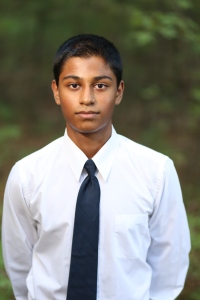
My name is Dipen Patel and I am a Senior in period three Help Desk. Although this is my first year as a member of Help Desk, I am excited to improve the program by facilitating the process of adding more technology into Burlington High School course curriculums. In the past years, I have taken several programming courses and have learned several programming languages myself. As of now, I am well versed in C++, Java, Objective C, and I am currently learning Ruby on Rails. I joined Help Desk, because I wanted to learn more about technology, while also putting some of my troubleshooting skills, which include solving problems with Microsoft Windows OS and software, Mac OSX, and iOS, to good use. I am no stranger to technology, I have spent countless hours fiddling around with any computers, tablets, phones, ect. that I could get my hands on. As a result, I am excited to help integrate more technology into the Burlington School and to make education that much easier.


Nikhil Thakkar- Class of 2015, 1st Year Team Member

Nikhil ThakkarMy name is Nikhil Thakkar and I am a senior at Burlington High School. Over the past three years, I have been extended the invaluable opportunity of being molded academically, extracurricularly, and personally. In the academic sphere, I always look for a challenge, immersing myself in academically stimulating environments both inside and outside the classroom. Nevertheless, I am extremely dedicated to my extracurricular activities and, since December 2012, I have founded four nonprofit organizations which now reach an aggregate of one-hundred thousand people across twenty-eight countries and five continents. Although each organization touches upon disparate facets of societal development, the one commonality among all is my method and goal—using interactive activities and stimulating discussion through technology to develop and improve education across Hispanic countries. One particularly relevant foundation I founded is “LiberEd”, in which I write interactive web-based textbooks and children’s books. LiberEd has “digitalized” education in hundreds of schools, and has also been successful in building the first school orphanages, where students have a place to sleep and receive an engaging education. In addition to my nonprofits, I conduct research in the field of Linguistics, studying how accentual nuances and particular debuccalization affect interdisciplinary developing pedagogy, and have been published in multiple multilingual journals, presenting at world-renowned universities along the way. My love for languages has determinedly weaved itself into my interest for music, having performed my fusion music in five different countries since 2012. Although my interests lie in distinct fields, my real passion lies in the integration of these spheres of study, and then the use of this integration to change the world. I hope that new more engaging methods of education become a conduit not only for academic growth, but for extracurricular growth as well. Oh, and I’m also a LinkedIn and Chipotle aficionado! As a first year member, I am truly excited to be a part of the BHS Help Desk, and can’t wait to see what is in store for us this upcoming year!
Daniel Pais- Class of 2015, 1st Year Help Desk Team Member
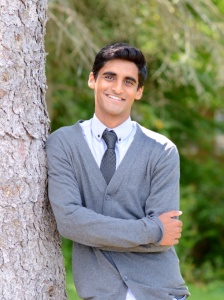
image (1)What’s up! My name is Dan Pais, I am a current senior at Burlington High School and this is my first year in Help Desk. I run winter and spring track & field where I am a varsity hurdler and triple jumper. In addition, I am a proud manager of the Boys Varsity Soccer team. I am the Vice President of the senior class, treasurer of the Best Buddies Program, and the senior representative for the Rotary Interact Club. My passion for automotive design and technology is represented through my involvement in the TED Ed Club as I have given a talk on Autonomous Vehicles. I am also involved in DECA, in which my partner and I won 1st place in our district in the category of Travel and Tourism. In my free time I enjoy doing loads of community service through my school and through my church, St. Malachy Parish. At the moment I am undecided on my major in college, but I hope I can figure it out by the end of the first semester. I am thinking about applying to Boston University, Clemson, and UMASS Amherst. I am very knowledgeable when it comes to troubleshooting iOS and PC devices so I can’t wait to help students and teachers with their problems!

Mana Purohit- Class of 2015, 1st Year Help Desk Team Member

Self PicHi! My name is Manas Purohit. I have three passions: gymnastics, chemistry, and programming. Since originally starting gymnastics in 2nd grade, I rekindled my fire for the sport by joining the BHS gymnastics program during sophomore year. This led to a varsity letter in gymnastics during my junior year. My next passion in life is science and specifically, chemistry. My love for chemistry was inspired by Dr. Nassiff’s Honors Chemistry class during sophomore year. Following my interest, I taught myself Organic Chemistry and became a United States National Chemistry Olympiad Finalist at the end of junior year. Additionally, I enjoy science in general, and am Vice-President of Science Olympiad, Co-President of Students for Environmental Action Club, and am Science Coordinator for the Peer Tutoring Program, in which I have tutored several students in Chemistry and Physics. Finally, my TED presentation on“The Future Energy Source: Antimatter-Matter Collision” yielded worldwide recognition when it was featured on the TED blog. Finally, my third passion in life involves computer programming. The world of code was introduced to me in my Visual Basic class freshman year and I was hooked right from the first “Hello World!” From there, I mastered Visual Basic, C++, and created a foundation in Java. Currently, I am learning Objective C to create an app for our school’s Help Desk to promote more efficient troubleshooting and problem solving. I am extremely excited to be part of this year’s Technology Innovation and Integration Team.
Keley Daniels-O’Brien- Class of 2015, 1st Year Help Desk Team Member
Screen Shot 2014-09-08 at 12.06.48 PMMy name is Kelsey and I am now a member of the Help Desk at Burlington High School. I am a Senior this year. I am an expert in MacBooks and I love learning new shortcuts for functions on the keyboard. I enjoy trouble shooting problems with the MacBook. I will try to fix as much as I can as quick as I can! I try to keep up with educational apps in order to make it easier for me to keep organized in school. I want to pass on the information I find to others through the Help Desk blog. There are tons of ways to keep documents and research for history and English on the iPad. My goal this year is to discover new ways to make other classes just as easy. I love math and science. Chemistry is my favorite type of science. It reminds me of a puzzle! Once I graduate, I plan on going to college for engineering. My favorite seasons are a tie between the Fall and the Winter. I love apple picking and Halloween.  In my free time, I love to hang out with friends and snowboard. If I could pick any dream job, it would be engineering snowboards.  There is actually a lot of math and science that goes into snowboarding. The angles of the sidewall and the composition of the board are designed to do certain things while riding on the mountain. I do a lot of volunteer work and I am very personable. This is my second year volunteering at a local hospital. I do a 5k walk every Thanksgiving day morning. I also volunteer at a 5k for childhood cancer. I am very excited to help people troubleshoot their problems this year at Help Desk.
Hammad Sadiq- Class of 2015, 1st Year Help Desk Team Member 

PHO0000009Lvn8-11100000001000Hi, my name is Hammad and I’m a senior here at BHS. I am a Pakistani American. I am very involved in my studies and in extracurricular activities. I academically challenge myself by taking a rigorous course load, mostly honors and a couple of AP courses, as I believe in challenging oneself to reach one’s highest potential. While I do consider myself studious, I am still very much involved in activities outside of school. I do indoor and outdoor track and field at a J.V. and Varsity level, and am a distance runner. I am also involved in a variety of clubs. I am an assistant editor for yearbook club. I am the president of the devils playlist club, which is a club that produces content in the form of articles relating to all things music. I am bilingual, I speak English and Urdu, and because of this I served as a translator for two foreign students and helped them to transition into an American high school. I am interested in education as well, and served as a teacher’s assistant to my English teacher. I greatly enjoyed being part of the teaching process. I was responsible for grading quizzes, and making some as well.  I am also a volunteer teacher’s assistant at the Learning Cottage, which is a preschool/daycare and was responsible for organizing and carrying out the instructor’s activities. I also am a member of National Honor Society, and have been exposed to multiple volunteer opportunities. I welcome these opportunities, as I derive pleasure from such service. My interests lie in all things technology, and science. My friends can attest that I am a know-it-all when it comes to technology. I am very familiar with windows OS and can resolve a variety of problems. I am also familiar with many issues with iOS and iPad devices and can resolves them. I am fairly familiar with adobe software such as Flash, Photoshop and Illustrator I have always loved science, and as a result I plan on majoring in biotechnology and minoring in education in college.
Cat Hoyt- Class of 2015, 1st Year Help Desk Team Member
Cat Picture
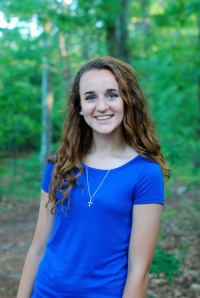
Hi my name is Cat Hoyt and I am a senior at Burlington High School. This is my first year in the Help Desk and I am really excited to have the opportunity to assist my classmates with any difficulties they may have with their iPad or any technology. I’m in period six help desk for the first semester of the year and period three for the second. In addition to many of the other students running the help desk, I take challenging, high level classes and participate in many other extra curricular activities as well. I am captain of the soccer team, president of the best buddies club, was inducted into NHS alongside the first group of only 13 of my peers sophomore year, am a member of the TED club and did a talk last year and I actively participate in various other clubs and sports as well. I am passionate about volunteer work and just the overall concept of helping people and I volunteer a ton. I  think that I am really approachable so people will feel comfortable coming to me for help and I am really excited to be a part of such an innovative and valuable opportunity here at the high school.

Jhymon Moodie, Class of 2016, 1st Year Help Desk Team Member
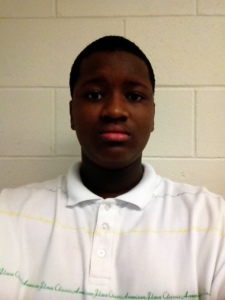
IMG_5565
My name is Jhymon, and I’m a member of the Help Desk. I’m a junior in high school, and I enjoy helping people with their technical needs. I’m Jamaican and I love spicy foods, but I love things like pasta and pizza, but who doesn’t? I play basketball, football, and I enjoy producing, playing, and singing music. I’m just your average kid. I like going outside and talking with friends. My favorite professional sports teams are the Seattle Seahawks, New England Patriots, Boston Celtics, San Antonio Spurs, and I have a lot more teams that I am very fond of. I enjoy being outside and traveling. I want to go to various places like Dubai and Seoul. I’m very social and easy to talk to, so if you need something, I’ll help you out to the best of my ability. My specialties are Android devices, iPads, and Windows, and Mac.


TJ Horgan- Class of 2015, 1st Year Help Desk Team Member
062214_TJ_Horgan_001
I am a senior at BHS, who joined Help Desk hoping to use my experience to help other students with technology-related issues, as well as learn some things of my own in the process. I am the president of the Student Council Executive Board, as well as National Honor Society, and I am also the editor-in-chief of the BHS paper “The Devil’s Advocate.” I have been fortunate enough to enter BHS in 2011, the first year of the iPads, and I believe that familiarity can be especially valuable when assisting those new to an iPad. I am interested in majoring in the field of broadcast journalism in college, which ties into technology soundly, as reporting is becoming done with less and less people. In a world where there is a gargantuan emphasis on maximizing efficiency, technology is and will continue to be a staple of our daily lives.


Michael Seleman- Class of 2015, 1st Year Help Desk Team Member
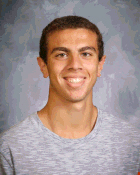
HD PhotoHey all! My name is Michael Seleman and I am a senior at BHS. Over the past three years at BHS, I have been well invested in both my academics and school involvement. I am originally from Egypt, I where I lived for only a year before coming to Massachusetts with my family in 1998. Since my freshmen year at BHS, I have involved myself in several extracurricular activities, including BHS Soccer, Science Olympiad, Students for Environmental Awareness, and NHS. Just recently, I was a finalist in the school-wide Poetry Out Loud competition in which I placed 3rd. But amid all my extracurriculars, I have not lost sight of the importance of my passions/interests, one which is technology. I am constantly exploring the world of technology looking for new tools and methods that can might benefit my classmates and me. Consequently, I consider myself an advocate of the use of technology in schools. In addition, I have begun to take interest in the coding/computer programming and am currently exposing myself into several different computer languages. Technology, just in general, fascinates. That being said, I’m more than excited to be a part of the technological integration and innovation that the BHS Help Desk is working towards!

Kristin Johnson- Class of 2015, 2nd Year Help Desk Team Member
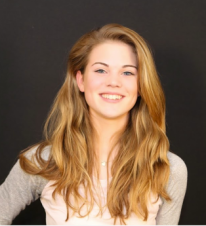
Screen Shot 2014-09-07 at 6.32.36 PMMy name Kristin and I’m a senior at Burlington High School. This is my second and final time taking Help Desk. I joined Help Desk my sophomore. After high school, I plan to major in Computer Science, where is still to be determined. I have always enjoyed working with technology and consider myself to have a vast knowledge about all different aspects. I am a duel season athlete and also the hurdling captain of the girls Track and Field team. If you ever need tech help come down during 7th period and I’ll be here to help.


Mehul Patel- Class of 2015, 1st Year Help Desk Team Member
Screen Shot 2014-09-08 at 12.40.09 PMMy name is Mehul Patel. I live in Burlington, MA. I am in twelfth grade in high school. I am in many clubs here in Burlington high school like the robotics club and chess club. I have alway liked math and science so I decided I want to become a Mechanical Engineer, and Computer Science. I plan to go to college after high school.  I have volunteered at American Red Cross for blood drive and volunteer in the doctor’s office at Lowell General Hospital. I like to watch the NFL, and my favorite teams is The New England Patriots. This is my first year as a member of the help desk. I am very excited to assist people with their technical difficulties.


Nathan Rippin – Class of 2015, 2nd Year Help Desk Team Member
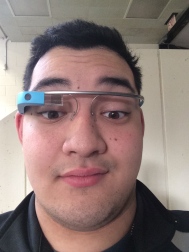
IMG_0414Hello, my name is Nathaniel Rippin. I am currently a senior at Burlington High and a fourth year member of the Help Desk. I excel in Mac, PC, iOS, hardware, and troubleshooting. I can create videos, screencasts, and app-smashed solutions to education problems. My height helps with mounted projectors and seeing above the problem. Besides Help Desk, I am in an Instrumental Group and in the Boy Scouts. I love to camp, play instruments, find the next big thing, and help others. I am also the Head of Business for the high school robotics team, DevilBotz. I have used my leadership skills acquired in Help Desk to build a boardwalk at my high school for my Eagle Project.  I look to help those who need it and to teach innovative ideas from projects to classroom management. Follow me at @Escape_thenate.


Demetrios Stefanidis- Class of 2016, 1st Year Help Desk Team Member
imageMy name is Demetrios Stefanidis and I am a junior at Burlington High School. I like to play basketball and I run track for the high school. I enjoy helping out those who are in need of assistance. I also enjoy all types of sports and am an avid follower of the NBA, NFL, and MLB. I support all the local teams, especially the Boston Celtics and the New England Patriots. Anytime someone needs help with their iPad or computer, I will help you as best I can.


Mira Mehdi- Class of 2015, 2nd Year Help Desk Team Member

Screen Shot 2014-09-08 at 1.00.47 PMHi, my name is Mira and I’m a senior at Burlington High School. This is my second year doing Help Desk. I am really fortunate to have been given the opportunity to be a part of the Student Technology Integration class. I will work to find the best approach to addressing or solving a problem for students and teachers. I am hoping to major in a field that has to do with either technology or film. My interests include dance, guitar, photography, and video making. I took dance lessons for a while, ever since I was five, but quit last year to focus on my school work. However, it is still a big hobby for me. I recently bought an acoustic guitar; I have been taking private lessons and have been learning new things everyday. Last year my ILE (Individual Learning Endeavor) was photography. I bought a camera and created tangible evidence to show my learnings. I have been making films ever since in junior high and really hope to continue with it when I’m older. My favorite apps are Notability and Google Drive. Both apps allow me to do virtually everything, although Notability has an up in advantage because it allows me to draw anything free hand.

Prateek Rana- Class of 2015, 1st Year Team Member
Screen Shot 2014-09-09 at 9.20.41 PMHello, my name is Prateek Rana and I am a senior at Burlington High School. This is my first year taking Help Desk and it is extremely exciting to be able to interact with all of the other students and staff members in the school. Besides just helping other people with their problems, I also love learning and putting myself into different and challenging situations. Anyway, I have many passions that have developed over my life. During school, I am mainly involved in two clubs: Robotics and Chess. I started Robotics in my sophomore year after my passion for coding was ignited from taking C++. In addition to C++, I have also taken Visual Basic and am currently taking Web Design and AP Computer Science A. Anyway, my role in Robotics is that I am part of the programming team and help in developing the robot code every year. Even though I’m part of the programming team, I am always learning new technological features along the way that help augment my skills. As for the Chess club, I have been a part of it ever since freshman year and have been playing the game my entire life. During my freshman year, I was placed at the lowest board in competitions, but through my effort and determination, I rose all the way to the first board and became the captain this year. I have also won many awards for being in the chess club such as best player in the league. Outside of school, I have volunteered at Lahey Hospital & Medical Center as a patient assistant and won a certificate for my services. From all my accomplishments, I have gained a major amount of experience in helping others, especially in technological area. Overall, my ambition this year is to gain even more knowledge and try to educate people more about technology itself.