


Showing posts with label Jenn Scheffer. Show all posts
Showing posts with label Jenn Scheffer. Show all posts
Wednesday, 24 June 2015

Friday, 19 June 2015
Day 176 - The Maker Studio at BHS Help Desk - Jenn Scheffer - BPS Mobile Learning Coach
This past March, BHS Help Desk student Cat Hoyt connected with Laura Fleming and Diana Rendina on Digital Learning Dayand learned about their successful makerspace programs. Since then, the BHS Help Desk students have been busy designing a makerspace of their own. Thanks to the collaborative efforts of the BHS Art Department, specifically art teacher Christina Chang and her talented students (both current and former), the student run Maker Studio at BHS is scheduled to launch in the fall of 2015. The Maker Studio will be an extension of the Help Desk program and will be led by Help Desk students Timmy Sullivan and Sid Srivastava. Timmy and Sid (we’re not sure if their official titles will be Chief Innovation Officers, Digital Learning Directors, or Maker Studio Managers) are beyond excited to develop this new and innovative learning space! Not surprisingly, they’ve already started to collaborate on their first (top secret) maker studio project. Seeing our space develop over the past few months has been truly inspiring and what the students have accomplished so far has exceeded my expectations.
Extreme Makeover: Help Desk Edition
The first phase in creating our makerspace was to select the right location. Because our makerspace is an extension of the Help Desk curriculum, and we want it to be accessible by all Burlington students and teachers, we decided to transform a library storage room adjacent to the Help Desk into a haven for creating, building, and exploring. I met with Christina several weeks ago and explained to her that we wanted to design an attractive, eye-catching space and she was instantly on board. Christina and her architecture students began brainstorming the color palette. Within two weeks, the room morphed from monotone, off white walls into a fun, modern, and vibrant space. The bright colors alone have already sparked curiosity among our students. The 3D Makerbot printer in the window as well as the pair of Google Glass have also generated some chatter among students as to what the new “room” is going to offer.
In terms of our studio’s branding, the space also features a custom logo designed by BHS alumni and graphic designerLauren Vigneau. Lauren collaborated with Christina’s students and taught them a lesson on logo design as well as how to market yourself as a designer. Lauren’s website Birchnine features her impressive portfolio of work, contact information, and resume. I had the pleasure of meeting and talking with Lauren about the studio and she is incredibly enthusiastic about partnering with me, Christina, and our students. The entire transformation process (which is not fully complete) was truly a collaborative effort and it offered our students authentic, real-world learning experiences. It also allowed me to meet and recruit a new Help Desk student. Donnie Boermeester, a gifted craftsman, plans to join the Help Desk next year and will continue to be a part of shaping the mission, purpose, and direction of the student run Maker Studio at BHS. I’m sure Donnie, Timmy, Sidd, and the rest of the 15-16 Help Desk staff will ensure the inaugural year of our Maker Studio is a huge success.
So, We’ve Got A Room…Now What?
Now that the makeover of the space is nearly complete, the next phase is to determine what kinds of learning activities will take place in the Maker Studio. Although it isn’t a large space, it will accommodate several maker stations that the Help Desk students are currently brainstorming. We are considering the following maker themes:
1. 3D design and printing
2. Wearable tech (Google Glass)
3. Coding/app development
4. Multimedia creation (green screen & podcasting)
5. DIY stations
6. Deconstruction station (breaking, hacking, rebuilding)
2. Wearable tech (Google Glass)
3. Coding/app development
4. Multimedia creation (green screen & podcasting)
5. DIY stations
6. Deconstruction station (breaking, hacking, rebuilding)
We have an eclectic student body here at Burlington High School. I envision creating a space that appeals to a wide range of students. From aspiring coders to jewelry and fashion designers, to future engineers, my goal is to create a space where students of varying backgrounds can merge their talents and innovate. Sounds a bit like the real-world doesn’t it?! The most exciting aspect of our Maker Studio is that it will be a place for students to gather, make, build, and play, without the pressure of working for a grade. Students will have freedom and flexibility to learn what they want, at their own pace, and for the sake of learning, not because of a directive or mandate. Ultimately, our Maker Studio can help develop independent, self-motivated learners who will gain hands-on experience and skill sets rooted in E-STEAM.
Students Teaching and Leading Students
Staying true to the foundation of the Help Desk and allowing students to drive their own learning, the vision of the BHS Maker Stuido is to offer student led, E-STEAM-based workshops for the entire Burlington community; with the first “E” meaning entrepreneurship. My hope is that students will take their making and building to a level where their creations have value and sales potential. This could eventually lead to a makerspace that is financially self-sustaining.
Admittedly, I have no idea if the vision for our Maker Studio will become a reality. I am however optimistic that our student leaders, innovators, and creators will build a unique learning environment where our entire community has the opportunity to experiment and explore. I’m also fortunate to work in a district where the leadership allows for this type of curriculum experimentation to occur and values student driven, project-based learning.
And one more thing…in case you are wondering…the total cost of this transformation to date? Zero dollars!
Take a look at the slideshow below to see the work of our talented students!
Friday, 15 May 2015
Day 152 - Create Google Presentations On The iPad…For Real! - Jenn Scheffer - BPS Mobile Learning Coach
Last August, when Google launched the Slides app for iOS I was ecstatic. I immediately authored a post on the BHS Help Desk blog to share the big news. My excitement quickly turned to disappointment when I realized, after I had already published the post, that the app lacked the ability to add images. The whole point of a presentation is to capture the attention of an audience through the use of powerful images. The inability to add images rendered the Slides app virtually useless. I was forced to seek out and recommend other presentation apps to my colleagues in Burlington. While I did manage to find and recommend a variety of high quality presentation apps, none had the collaboration features offered by Google Apps for Education. All of this has changed with the new update to Slides.
The feature GAFE enthusiasts have all been waiting for has finally arrived; much sooner than I initially anticipated. On May 12th, The Apps Show published a video entitled, “How to make beautiful presentations.” The video showcased tips and tricks on how to edit a slide master, crop and mask images, and add animations; all great features but nothing new or earth shattering. What sparked my interest however was when Debbie and John, hosts of the Apps Show, mentioned that Googlers were working hard on the mobile Slides app, including the ability to add images. Debbie stated this feature would be launched within a few weeks.
Much to my surprise, the ability to add images, as well as tables, was released on May 13th. The exciting news spread quickly amongst GAFE fans throughout Google+ and Twitter and for good reason. Students and teachers can now create visual presentations from the Slides iPad app. Best of all, creating a presentation from a mobile device can be done COLLABORATIVELY. Teachers often assign group presentation projects, which has posed challenges for a 1:1 iPad school. This is no longer the case.
In true Google fashion, adding images or tables via the mobile Slides app is ultra intuitive. I’ll definitely be recommending the Slides app to my colleagues and I’m sure they will be just as thrilled about this update as I am. A few screenshots below, taken from the Slides app on my iPhone, showcase just how easy it will be for students to create Google presentations from their mobile devices…for REAL!


Monday, 13 April 2015
Day 133 - Leading with Learning & Student Voice at #NE1to1 - Jen Scheffer - BPS Instructional Technology Specialist
This post first appeared on the BHS Help Desk Blog
Friday, April 10th was Burlington Public Schools annual New England 1:1 Summit and the second annual New England Student Showcase sponsored by the BPS EdTech Team. Once again, the focus of this professional development event was exactly where it should be: on student learning.
This year’s event was held at three different locations in the district; Burlington High School, Marshall Simonds Middle School, and Francis Wyman Elementary School. Offering three different locations allowed attendees to personalize their learning experience based on the specific type of 1:1 environment they wished to see. The event began with a Q and A keynote panel followed by classroom tours and the Student Showcase. This year’s showcase, like last year’s Summit, featured students representing other 1:1 or BYOD districts in Massachusetts. Students (and their teachers) from Shrewsbury, Hopkinton, Reading, Hamilton-Wenham, and Bishop Feehan came to Burlington to share their digital creations and articulated how using technology impacts their learning. The showcase was by far the most exciting part of the Summit. It allowed visitors to truly understand the impact 1:1 environments have on student learning. I had the pleasure of speaking with a young lady from the Shrewsbury Innovation Team and learned how she used Explain Everything to create a cell analogy project for one of her science classes. This was just one of the many types of personalized learning experiences shared by the students who attended.

Students from Campbell High School in Litchfield, NH attended the NE 1:1 Summit
The Lower Library of Burlington High School, the location of the Showcase, was bustling with conversations between students, teachers, administrators, technology directors, and school board members. It was an incredibly meaningful learning experience for everyone involved. Students who showcased their digital creations underscored to attendees what can happen when they are given choices to demonstrate their learning. It was refreshing to see a group of students in attendance from Campbell High School in Litchfield, NH (ironically where I began myteaching career !) along with a team of teachers and administrators. Campbell is considering a technology rollout and wants to ensure that their students play a role in the decision-making process. Very smart of Campbell indeed! Involving students in your technology initiative is a consistent message sent by the entire BPS Edtech team not just during our Summit but at every event we host throughout the year. The BPS Edtech team believes students should play a role in the 1:1 planning process and actively support technology initiatives as the needs of the school community evolve. This happens in Burlington through our student run Help Desk programs. Students play a significant support role regarding technology integration in Burlington and their contributions are appreciated by our entire community. They are go-to people throughout the day for any student or teacher needing assistance with technology. We have a culture where students are given authentic leadership opportunities and this was evident at the BHS Summit.
Cat Hoyt, BHS senior and member of the Help Desk, served on the keynote panel and shared from a student perspective what it’s like to be a technology leader at BHS. Throughout the Q & A session, several questions were directed specifically to Cat. This proves many districts are interested in understanding how technology is impacting a student’s education. Cat offered her candid thoughts about 1:1 teaching and learning and as always, showcased her leadership and professionalism. One attendee actually said to me, “she could run this whole thing herself.” I couldn’t agree more. My hope is that student involvement in professional development events for educators becomes the norm rather than the exception. Our job as educators and administrators is to meet the needs of our learners. Listening to what works for them in terms of technology in the classroom is essential if we are to provide them with the best, most relevant education possible.
The BPS Edtech Team hopes the Student Showcase continues to grow. It’s an authentic way for educators to learn about the impact technology has on student learning, but it serves an even greater purpose. Events like the Student Showcase are real world networking, leadership, collaboration, and public speaking experiences for the students who participate. These are necessary skills for any career path and presenting at the NESS is an impressive resume builder . I’d like to extend my sincere thanks to the teachers and students of Shrewsbury, Hamilton-Wenham, Bishop Feehan, Hopkinton, and Reading for taking time out of their schedules to join us in Burlington. Your contributions made the event a huge success and we hope you will return next year!
The video below recognizes student involvement in this year’s Summit and attempts to capture the excitement and atmosphere of the day. You can also check out Tweets from the day by reading the #NE1to1 Storify or you can read this great reflection about the Summit written by attendee Andrew T. Garcia.
Thanks again to all who joined us in Burlington for the 2015 New England 1:1 Summit and for your support of 21st century teaching and learning. We’ll see you in 2016!
Wednesday, 4 February 2015
Day 92 - ConnectEd BINGO: Don’t Miss This Epic Reading Event! - Jenn Scheffer - BPS Mobile Learning Coach
Note: A link to the original post explaining the ConnectED Reading BINGO Event can be found here.
The BHS Help Desk would like to encourage teachers throughout the district to participate in February’s “I Love to Read Month.” Schools across the nation have been invited to participate in this highly creative, “epic reading event” created by a dynamic team of award-winning lead learners including; Tony Sinanis, John Fritzky, and Dr. Brad Gustafson. The event is designed to promote a love of reading, as well as the responsible use of social media and brings important digital citizenship principles to the classroom. Throughout the month of February, students can show their love of reading, and earn BINGO, by completing a series of challenges created by educators in Tony, John, and Brad’s PLN. Several activities allow students to connect with authors, educators, and other classrooms from across the country. Check out the BINGO board below as well as a brief introduction video which explains this exciting opportunity.

To participate in this national event, click on the link to this BINGO board
Each time a student has completed BINGO, they are asked to Tweet out a picture and use the hashtag #StuConnect. Students can also earn prizes for certain BINGO challenges they complete. A full description of the BINGO rules is listed on page two of the linked BINGO board. All students should complete these activities with the support and guidance of a teacher and/or parent. Any teacher who would like assistance with facilitating any of the activities listed on the board, technology related or not, is encouraged to contact me at jscheffer@bpsk12.org or work with your building Instructional Technology/Media Specialist. Let’s share with the world how much the students of Burlington Public Schools love to read!
Monday, 5 January 2015
Day 75 - A One-Srop Chromebook Shop: Resource Guide For Educators - Jenn Scheffer - BPS Mobile Learning Coach
This post first appeared on Jenn's Blog
 While conducting research for the site, I realized the volume of information that was out on the web about Chromebooks, Chrome Apps & Extensions, Google & Digital Citizenship, etc. I also thought that all this information would be overwhelming for a teacher new to a Chromebook (it was for me!) and GAFE. So, I decided to condense everything I was reading and learning about the Chromebook into a simple, user-friendly, yet information rich site. My ultimate goal is for the site to serve as a one-stop Chromebook shop for the teachers of Burlington Public Schools, but also for administrators, parents, students, and community members; really for anyone in Burlington (and beyond) who is using a Chromebook for their personal, academic, or professional life. The resources in the site were curated to help users harness the greatness of Google, specifically their Chromebooks, but also to learn about the Chrome Web Store and all that it has to offer in terms of web apps and extensions.
I am excited to share a resource guide for teachers who are new to using Chromebooks. The sharing of this resource has been a long time coming. I began building the guide back in August. What initially began as a simple Google doc morphed into a full blown Google Site.
 While conducting research for the site, I realized the volume of information that was out on the web about Chromebooks, Chrome Apps & Extensions, Google & Digital Citizenship, etc. I also thought that all this information would be overwhelming for a teacher new to a Chromebook (it was for me!) and GAFE. So, I decided to condense everything I was reading and learning about the Chromebook into a simple, user-friendly, yet information rich site. My ultimate goal is for the site to serve as a one-stop Chromebook shop for the teachers of Burlington Public Schools, but also for administrators, parents, students, and community members; really for anyone in Burlington (and beyond) who is using a Chromebook for their personal, academic, or professional life. The resources in the site were curated to help users harness the greatness of Google, specifically their Chromebooks, but also to learn about the Chrome Web Store and all that it has to offer in terms of web apps and extensions.
With the New Year upon us, 2015 is the perfect time to “level up” our Chromebooks and in turn our digital classrooms!
The site is broken down by:
1. Chromebooks 101- the most helpful (and short) how-to videos from the Chrome Help Center’s YouTube Channel.
2. The Chromebook Desktop- the shelf, status area, apps launcher, etc.
3. The Chromebook Keyboard- lots of tips, tricks, and useful shortcuts
4. Chrome OS- a brief and simple to understand history and power of the OS
5. Chrome Apps & Extensions – a huge list for educators to explore (this is the level up part)
6. Google and Digital Citizenship – digital literacy and YouTube curriculum resources as well as links for parents. If your students use the web, it’s time to integrate lessons in digital citizenship.
7. More Support – links to Google Gooru’s (literally), Google+ communities focused on GAFE and all things Chrome. Not on Google+? It’s time to stop ignoring it!
The link to the site can be found here:
BPS EdTech Chromebooks
Feel free to share the link to the site with your PLN and the members of your school community. I hope you find it to be a useful resource, whether your school has 1 cart of Chromebooks or your entire district is transitioning to 1:1 Chromebooks for your students and/or teachers.
Wednesday, 17 December 2014
Day 70 - The Power Of An Hour (Of Code) - Jenn Scheffer - BPS Mobile Learning Coach
“I might cry.”
Those were words spoken by an Instructional Assistant at Pine Glen Elementary school during last week’s Hour of Code.
The third grade student she works with is typically highly dependent. The student needs frequent breaks, constant help, prompting to focus in order to complete work, and continuous approval. However, during Hour of Code, her student didn’t ask for help once. In fact, when she offered to help, the student refused. He didn’t take one break. He stayed focused for the entire hour and when the “official” Hour of Code lesson ended, he kept going. He was completely immersed in learning Lightbot and soared through each level, independently making it to the more complex procedures level. This Hour of Code success story is just one of many throughout the Burlington district during last week’s Hour of Code. It was incredibly rewarding to witness students at the elementary, middle, and high school levels work both independently and collaboratively to problem-solve, think critically, and persevere through the challenges presented.
“It’s really been something,” said Lynne O’Neill, third grade teacher at Francis Wyman elementary.
“Not only have they had to use logical thinking, which is not something they typically choose to do, but they’ve persevered through this. They’ve listened to the tutorial. They have been helping each other, working collaboratively. It’s built community in our classroom. It’s built confidence in struggling learners. It’s really been a great week.” I visited Lynne’s class on Monday, December 8th and after a quick introduction to Hopscotch, the students were left on their own to explore and experiment with the creation of their own games. To help students understand the fundamentals of coding, I borrowed the analogy of “coding is like giving a dog commands” from the Code with Karel the Dog tutorial. This basic explanation was highly effective with the elementary students I worked with; both with Lynne’s third graders as well as the district’s youngest coders. Mrs. Sosnowski (Mrs. “Ski”) and Mrs. Maiorana students were easily the most excited students I worked with all week (not to mention adorable) and they quickly understood that they were responsible for creating the commands which enabled the program to run. Lynne’s students were so engaged with Hopscotch that they continued to code throughout the rest of the week.
 I was invited back to her class on Friday so students could show me the progress they had made since the lesson on Monday. I was amazed at the advanced level of coding these novice programmers had accomplished. Students had discovered the Hopscotch emojis, created full-blown fire-ball monster games to play on their iPads, and wowed me with their dancing turkeys. After Tweeting out a picture of several student programs, Hopscotch commented stating, “that’s a lot of code! What did they make?” Our Twitter conversation continued briefly and resulted in a Live Google Hangout On Air (embedded below) which allowed students to speak directly with Alish Ermanshare, who created many of the Hopscotch Hour of Code video tutorials, as well as Ian Frye who handles their social media. Students showcased their creations directly with the folks at Hopscotch and to say they were impressed is a massive understatement! “That was an experience they will never forget,” stated Lynne.
During the week of coding in Burlington, students also realized the amount of testing and trial and error involved in creating a successful program. This was especially evident last Thursday when I visited Jill Cuhna and Valerie Doherty’s third graders at Pine Glen. Throughout their Hour of Code, most students worked in teams of two to four helping each other progress through each level of Lightbot. Jill, Valerie, and I offered our assistance to the 26 third graders in the room, but for the most part, students were helping each other without any adult intervention. In fact, there were a few levels of Lightbot that students helped me complete! When Hour of Code was over and indoor recess began, the majority of the students chose to continue with Lightbot (this happened in first grade classrooms as well). To see students sacrifice recess to code was another highlight of the week. Similarly, Marshall Simonds Middle School students also chose to give up their leisure time to embark on an Hour of Code.
 Approximately 30 of Jennifer Tate’s Math Olympiad students gathered after school last week to pursue learning an hour of code. During my visit with these students, I realized their level of intrinsic motivation to learn and understand computer programming was unparalleled. Several students claimed the tutorials were “too easy,” as they had been programming with HTML, JavaScript, and Python for close to three years. Needless to say, this session of coding was filled with students selecting the more challenging tutorials. Several of these students, the ones who were exploring the tutorials reserved for the high school level, had the opportunity to receive help from Eric Calandriello, BPS IT staff member and BHS alumni, who is currently majoring in computer science at the University of Massachusetts at Lowell. In addition to the members of the Math Olympiad team, sixth grade teachers Barbara Sturtevant and Carolyn Crowley shared with me that they also had their students participate in Hour of Code and my colleague Kelly Floyd, Instructional Technology Specialist at Marshall Simonds, had our middle school Help Desk students participate in Hour of Code. Highlights of these students, along with many others from the Burlington district who participated in Hour of Code are included in the video shown below.
Finally, at the high school level, BHS art, math, digital literacy, and Help Desk students all had the chance to try the Hour of Code. Art teacher Christina Chang brought two of her design classes (one of which was all female) to the Help Desk to complete an Hour of Code and the feedback from these young ladies was tremendous. Freshman Sara Cannalonga said, “I really enjoyed Hour of Code because it was something I have never experienced before and it was a fun thing to do while at the same time learning something.” Along those same lines, many BHS Digital Literacy students enjoyed their time spent on coding. I asked both of my digital literacy classes to complete four Hour of Code tutorials, including the creation of a holiday card using Scratch, and write a reflection about their experience on their blogs. Many of my students found Scratch difficult to understand, however despite the difficulty, many are still interested in learning more about computer science. In her blog post reflecting on the Hour of Code, freshman Meghan Gaffney stated, “After doing my second year of Hour of Code, I am really interested in learning more about coding. I really like to code and I want to continue coding even after the Hour of Code ends.” Senior Help Desk member Cat Hoyt added,
“Having completed Hour of Code I don’t know if I would say I am more interested in exploring the field of Computer Science as much as I would say I am interested in exploring the ways that Computer Science and coding can develop me as a student and the way in which I learn. I think that being given the chance to participate in Hour of Code has allowed me to use my brain and think in ways that I never have before and that participating in this experience can be beneficial to students and teachers alike because it promotes new styles of critical thinking that can be applied in many situations aside from the field of Computer Science.”
Last week’s Hour of Code represented so much of what we as educators seek in today’s educational system; student-driven learning, creativity, critical thinking, problem solving, perseverance and grit. It was an honor to witness such exciting learning environments and see first-hand the potential of our future generation of innovators. And that is the power of an hour!
Tuesday, 21 October 2014
Day 35 - Student Tech Teams Featured in a Student Run Demo Slam - Jenn Scheffer - BPS Mobile Learning Coach
This post originally appeared on Mrs. Scheffer's Blog
Of all the tools available to students and teachers, Google Hangouts is easily one of the most powerful in the Google apps suite. My introduction to Hangouts came back in May of 2013 by 7th grade social studies teacher Tracy Sockalosky. Since that initial video call, I have been fascinated by Hangouts as a means to connect “face to face” with friends, family, colleagues and members of my PLN from all across the world. Never mind the fact you can wear funny hats and apply cool effects, Hangouts lends itself perfectly to authentic learning experiences for my students, and can ultimately serve as a digital portfolio item.
Of all the tools available to students and teachers, Google Hangouts is easily one of the most powerful in the Google apps suite. My introduction to Hangouts came back in May of 2013 by 7th grade social studies teacher Tracy Sockalosky. Since that initial video call, I have been fascinated by Hangouts as a means to connect “face to face” with friends, family, colleagues and members of my PLN from all across the world. Never mind the fact you can wear funny hats and apply cool effects, Hangouts lends itself perfectly to authentic learning experiences for my students, and can ultimately serve as a digital portfolio item.
Last year, in an effort to leverage the power of Hangouts, I created the “Help Desk Live” Google Hangout On Air program as part of the Student Technology Innovation and Integration course at Burlington High School. The show was inspired by Kern Kelley who runs the Tech Sherpa Show with his student tech team in central Maine.
Help Desk Live Season 1 featured 14 episodes led primarily by my students. The nature of our show differed from Kern’s in the sense that we did not demonstrate the use of tools, “demo-slammish” style, rather we interviewed educational technology and business professionals. Overall, I’d consider Season One a success (our use of Hangouts as a learning tool was featured on Free Tech Tools For Teachers) however it was a lot of work on my part as the teacher.
Producing a Live Hangout On Air involves:
- scheduling and logistics coordination

- promoting the show via Twitter, blog, and Google+
- prepping students to go live
- writing show notes
- selecting and researching guests
- facilitating the conversation during the live call
- handling technical issues during the call


the list goes on…
As I reflect on the first season of Help Desk Live, I realize there is room for a great deal of improvement for both me and my students; both from the technical side and the content of the show. My ultimate goal is to not be in the Hangout at all (although it may appear I like to be on camera) and have my students complete every single task associated with coordinating the broadcast. I’d also like our show to become a bit more like Kern’s and have students demonstrate the use of technology tools that will benefit students and teachers. The first episode of Season Two, an interview with Segway’s CEO Rod Keller, proves I may accomplish my goals sooner than anticipated. As further evidence of my students’ potential, this past Thursday my students independently facilitated an On Air broadcast. It certainly wasn’t perfect, but that’s not the goal. The goal is for them to have that authentic learning experience. And they did. Additionally, they had the opportunity to be pioneers.
My students, along with ten others throughout the state of Massachusetts and Maine participated in a student run demo slam. Each student(s) had the chance to be placed in the spotlight and demonstrate the use of a web tool or app in true Tech Sherpa fashion. Each student approached the demo with his or her unique style and to watch the students in action was quite inspiring. They were articulate, professional, and epitomized what it means to be a digital citizen. Despite the technical issues (which happens 9 times out of 10 in a Hangout) the students maintained their composure throughout the entire call and didn’t panic under the pressure of being live. I know that all of the students will improve if and when they participate in another demo slam…hopefully the next one will be some time in November so stay tuned!
I invite you, your students, and your leadership teams to watch these videos and see for yourself what a great opportunity our students had to connect, share, and learn from one another. If you’re inspired to bring Hangouts to your classroom, you can check out this excellent Google Hangouts Guide for Teachers created by the folks at Lee’s Summit R-7 School District.
As we continue to move through connected educator month, don’t forget that the most important reason we need to connect is to teach our students to do the same.
Take a look at the student run demo slam embedded below:
Friday, 10 October 2014
Day 29 - BHS Welcomes Our New Teachers - Jenn Scheffer - BPS Mobile Learning Coach
BHS is proud to introduce this year’s new teachers and staff. We have five, new faculty members joining the Burlington community, along with a new permanent substitute teacher. Please take a moment to learn more about each of our new faculty members.

Krista Anderson-BHS Business/Marketing Teacher
Krista Anderson- BHS Business Department
What grade level and courses are you teaching at BHS?
“I teach all grades. I have mostly Freshmen and Sophomores in my Intro to Business Classes and Juniors and Seniors in my Sports and Entertainment Marketing and Intro to Marketing Classes.”
How long have you been teaching and where did you teach previously?“This is my 10th year. I taught previously at Wilmington and prior to that in New Jersey when I first started teaching. I was glad to return to MA, the state where I grew up.”
What did you do as a profession before becoming a teacher?“Prior to teaching I was in Sales and Marketing for Baxter Healthcare, AT&T and Experian.”
What do you like best about BHS so far?“I love the freedom and convenience the technology gives here. The students also work hard in my classes and I like that work ethic.”
Are you involved in any clubs/organizations or coaching positions at BHS?“I am involved with running DECA and helping out at the school store. DECA will start up with a kick-off meeting October 8 and is open to any student who has or is taking a business class. The DECA students will be involved in business competition at the local, state and national levels. I’ve been running DECA clubs every year I’ve been teaching.”
What do you do in your free time? Hobbies/interests, outside of education?“Family time with my husband, son, daughter and dog. Mostly I’m driving to and from and watching my kids sports events. Our family loves fishing and water skiing on our boat during the summer. I love to read and take long walks with the dog in the woods all year. I tend to spend too much of my free time doing home improvements so I often have paint somewhere on me!”
Are you active on any social media sites that you would like to share with our audience?“@mrsandersonbhs (I mostly tweet out business articles relevant to my classes and some DECA stuff)”
Michael Ress- BHS Science Department

Michael Ress, BHS Science Department
What grade level and courses are you teaching at BHS?“I teach 10-12 grade biology & environmental science”
How long have you been teaching and where did you teach previously?
“I taught for four years at Leominster High School.”
“I taught for four years at Leominster High School.”
What do you like best about BHS so far?
“The kids are well mannered & come to class ready to learn each day. Also, the administration & other teachers are very helpful & welcoming.”
“The kids are well mannered & come to class ready to learn each day. Also, the administration & other teachers are very helpful & welcoming.”
What do you do in your free time? Hobbies/interests, outside of education?“I like to go camping & keep in shape.”
Are you active on any social media sites that you would like to share with our audience?I have a Google site for my class which is bit.ly/RessRef

Kyle Blanchette-BHS Math Department
Kyle Blanchette- BHS Math Department
What grade level and courses are you teaching at BHS?“I am currently teaching Algebra I and Geometry.”
How long have you been teaching and where did you teach previously?
“This is my second year teaching and before teaching at BHS I taught at Wilmington High School.”
“This is my second year teaching and before teaching at BHS I taught at Wilmington High School.”
What do you like best about BHS so far?
“The staff, students and technology.”
“The staff, students and technology.”
Are you involved in any clubs/organizations or coaching positions at BHS?“I coach JV lacrosse at Wilmington High School.”
What do you do in your free time? Hobbies/interests, outside of education?“I enjoy golfing and fishing.”
Are you active on any social media sites that you would like to share with our audience?
My web address is bhsblanchette.wix.com/mathblog
My web address is bhsblanchette.wix.com/mathblog

Christine Concesion-BHS Health & P.E. Department
Christine Conceison- BHS Health & P.E. Department
What grade level and courses are you teaching at BHS?“Sophomore Intro to Wellness and Senior Wellness to Seniors”
What grade level and courses are you teaching at BHS?“Sophomore Intro to Wellness and Senior Wellness to Seniors”
What did you do as a profession before becoming a teacher?“This is my first year teaching. After graduating from college, I served with AmeriCorps for two and a half years. I served with one program traveling in the southern region of the US doing different service projects for one year and after that lived in New Orleans rebuilding homes for Hurricane Katrina survivors.
What do you like best about BHS so far?“The overall atmosphere. Having graduated from BHS, there are some days I feel like I never left. I am now learning from and working with teachers I had as a student and I am getting a whole new perspective of the school. Overall the welcoming atmosphere daily makes it a great place to work.”
Are you involved in any clubs/organizations or coaching positions at BHS?“I am the JV girls volleyball coach this fall and will be helping out with the girls ice hockey team in the winter.”
What do you do in your free time? Hobbies/interests, outside of education?“Coaching youth sports and if anyone knows about youth hockey, it takes up most of my free time!”
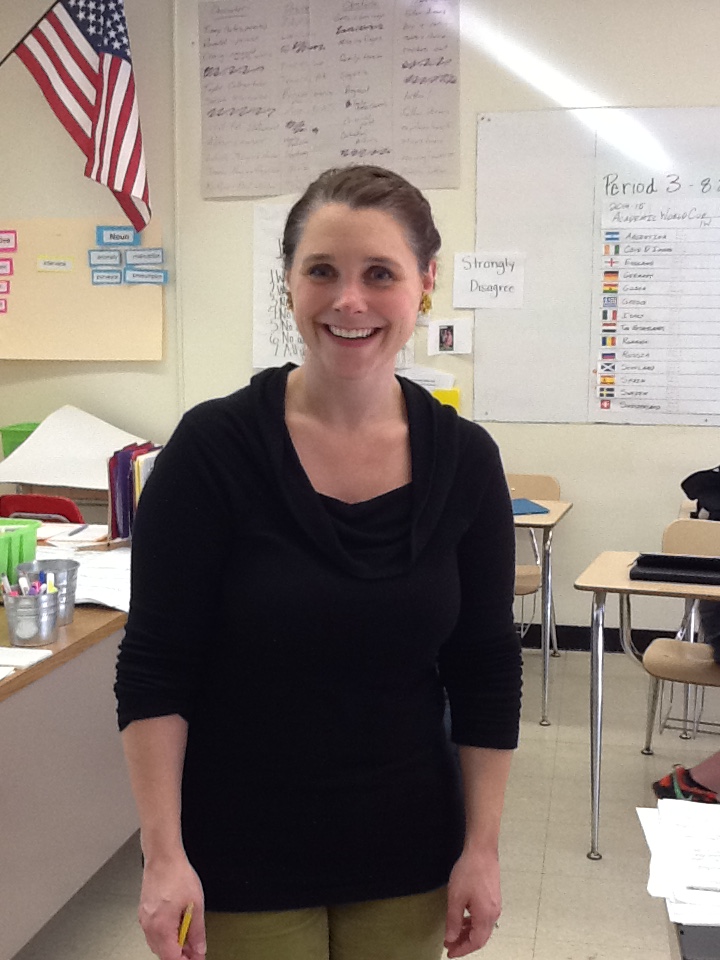
Breanne Sette-BHS English Department
Breanne Sette- BHS English Department
What grade level and courses are you teaching at BHS?“I am a part-time teacher at BHS, teaching the 9th and 12th grade English.”
How long have you been teaching and where did you teach previously?
“This is my 7th year teaching.”
“This is my 7th year teaching.”
What (if anything) did you do as a profession before becoming a teacher?
“Before I taught, I worked in customer service for a mutual fund company and an insurance company.”
“Before I taught, I worked in customer service for a mutual fund company and an insurance company.”
What do you like best about BHS so far?
“I like the people and how willing they are to work with me and help me out.”
“I like the people and how willing they are to work with me and help me out.”
What do you do in your free time? Hobbies/interests, outside of education?“I spend my free time with my daughter, Lily, who is turning two this month!”
Are you active on any social media sites that you would like to share with our audience?“I use Google Classroom and Google Sites.”

Angela D’Allesandro-BHS Permanent Substitute Teacher
Angela D’Allesandro-BHS Permanent Substitute Teacher
What grade level and courses are you teaching at BHS?“All of them; I’m a permanent substitute.”
How long have you been teaching and where did you teach previously?
“I have taught English since 2004, off and on, at Danvers High School, Bedford High School, Chelsea, and Stoneham Middle School.”
“I have taught English since 2004, off and on, at Danvers High School, Bedford High School, Chelsea, and Stoneham Middle School.”
What (if anything) did you do as a profession before becoming a teacher?
“I have worked as an Administrative Assistant and a Corporate Trainer.”
“I have worked as an Administrative Assistant and a Corporate Trainer.”
What do you like best about BHS so far?
“The students; they have been so great, well mannered and well behaved. They are all around great kids which makes my job much easier and fun.”
“The students; they have been so great, well mannered and well behaved. They are all around great kids which makes my job much easier and fun.”
What do you do in your free time? Hobbies/interests, outside of education?“As an English teacher, my hobbies need to include reading and writing but I also make jewelry, enjoy hiking with my dog, and spending time with my family.”
Subscribe to:
Posts (Atom)